
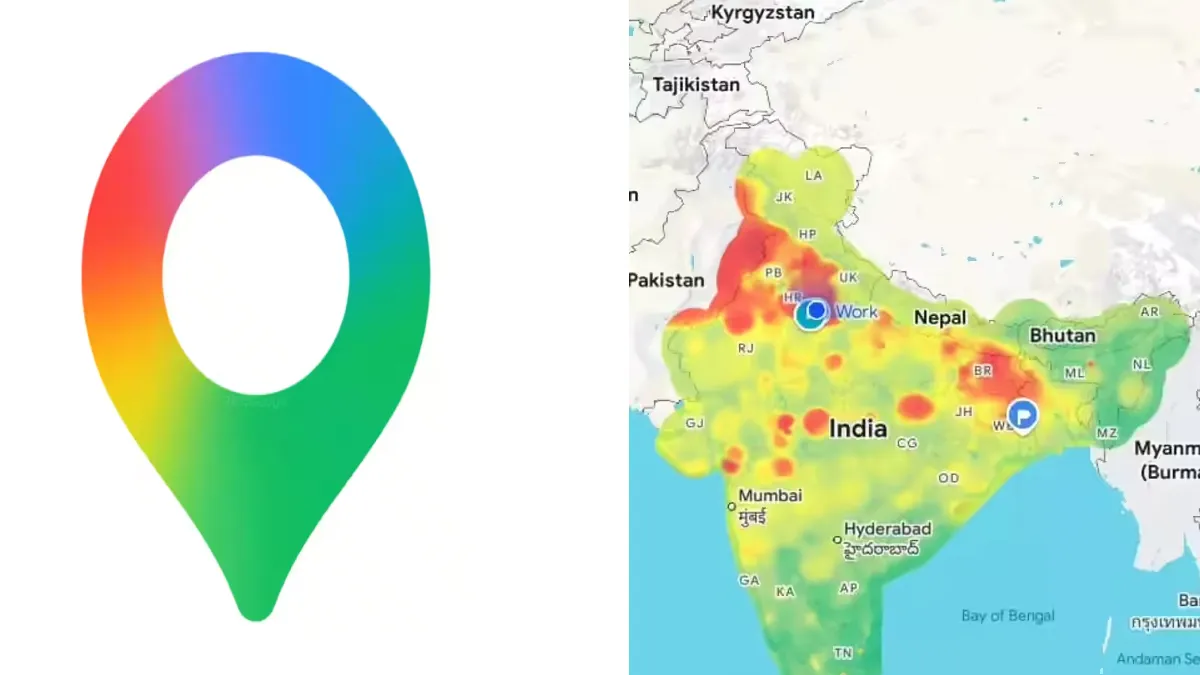
With the arrival of winter, air quality has sharply declined across many Indian cities, with Delhi facing some of the worst conditions nationwide. According to aqi.in, the capital’s Air Quality Index (AQI) registered at 435 around 9 a.m. on Tuesday.
As air pollution remains a pressing concern, more people are relying on real-time air quality updates to decide if it’s safe to venture outdoors. To help users make informed choices, Google Maps now includes a feature that displays current AQI readings for locations throughout India, making it easier to plan daily activities and stay protected.
Both the mobile app and desktop website display air quality in an intuitive color-coded format. The AQI ranges from green, indicating good air, to dark red for hazardous conditions. This tool assists users in determining whether it’s advisable to exercise outdoors, travel, or take preventive steps like wearing a mask.
Google Maps updates its Air Quality Index hourly, providing scores between 0 and 500. Lower values mean cleaner air, while higher numbers represent more severe pollution. The AQI categories are: Good (0–50, green), Satisfactory (51–100, yellow), Moderate (101–200, orange), Poor (201–300, red), Very Poor (301–400, purple), and Severe (401–500, maroon).
How to View Air Quality on Google Maps
Update Google Maps
- Open the App Store (iOS) or Google Play Store (Android).
- Search for Google Maps and apply any available updates.
Launch Google Maps
- Open the app on your smartphone or tablet, or visit maps.google.com in a web browser.
Find a Location
- Use the search bar to enter a city, neighborhood, landmark, or address.
- You can also zoom in or move around the map to check air quality for a specific area.
Open the Layers Menu
- Tap the layers icon (a stack of squares), found next to the search box—typically bottom-right on desktop or top-right/top-left on mobile.
Select “Air Quality”
- Choose the “Air Quality” option from the layers menu.
- The map will display a color-coded AQI overlay for your selected area.
Interpret the Scale
- The map’s colors range from green (good) through yellow, orange, red, and up to dark red (hazardous).
- Tap any colored region or AQI icon to see the exact AQI number and further pollutant details.
-

-

-

-

