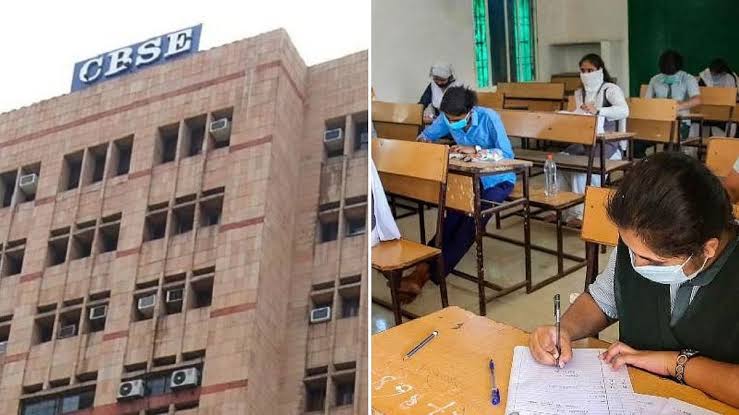
New Delhi: The announcement for the Central Board of Secondary Education (CBSE) Class 10 Second Board Examination Result 2026 is highly anticipated and could drop at any moment. As reported by The Economic Times, candidates who sat for these biannual examinations will soon be able to download their official digital marksheets through DigiLocker alongside other authorized networks.
While an exact date remains unconfirmed by the Central Board of Secondary Education (CBSE), indications suggest that scorecards may be made public today or tomorrow. This upcoming release follows on the heels of the board’s recent declaration of the Class 12 revaluation outcomes.

A New Era of Academic Flexibility
The introduction of the second board examination marks a milestone shift under the updated dual-exam model framework by the Central Board of Secondary Education (CBSE). This modern structure grants students a valuable second window to elevate their cumulative grades within the same academic cycle, eliminating the traditional year-long wait. For this specific session, the participation pool expanded significantly, with more than 6.68 lakh students registering to take the Class 10 second board exams.
Once the data is officially live, the board will host the result portals directly on its primary domains, including cbse.gov.in and results.cbse.nic.in.
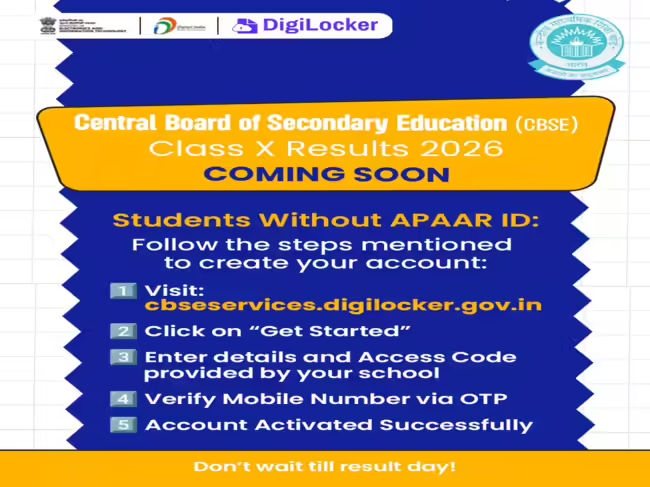
How to Retrieve Your Scorecard via DigiLocker
DigiLocker stands as a vital digital repository for students wishing to immediately securely download, archive, and view their verified academic transcripts. The Economic Times outlines the standard protocol to retrieve documents through the application:
- Navigate to the official DigiLocker web portal or launch the smartphone application.
- Provide your registered mobile number or required personal credentials to log in.
- Utilize the internal search directory to locate the CBSE Class 10 result or digital marksheet page.
- Input your mandated examination parameters, such as your roll number.
- View and download your digital scorecard for future reference.
Students are highly encouraged to compile their essential credentials—including their roll number, formal date of birth, and admit card identifiers—ahead of the activation link to secure a seamless retrieval process.
Alternative Platforms for Result Checking
To mitigate potential server latency caused by high volumes of simultaneous user traffic, several secondary infrastructure options have been arranged. Aside from DigiLocker, students can evaluate their scores using:
- The primary corporate site: cbse.gov.in
- The designated results hub: results.cbse.nic.in
- The UMANG mobile application
- Integrated SMS delivery networks
- The Interactive Voice Response System (IVRS)
Step-by-Step Guide on Official Web Portals
For students opting to utilize the main board platforms, the process remains direct:
- Go to cbse.gov.in or results.cbse.nic.in.
- Click the live link labeled “CBSE Class 10 Second Board Result 2026”.
- Provide your roll number and any additional verification details as prompted.
- Submit the online form to project your scores on the screen.
- Download and print a copy of this temporary statement of marks.
Crucial Information Packaged Inside the Scorecard
The temporary digital scorecard serves as an interim document until official physical papers are distributed. It contains foundational student metrics that must be thoroughly audited for consistency:
- Full name of the student
- Roll number and Class parameters
- Date of birth and Father’s name
- Subject-specific theory marks achieved
- Practical scores (where applicable)
- Aggregated marks and maximum thresholds
- Assigned overall alphabetic grade
- Final qualifying status (Pass or Fail)
Candidates are strongly advised to meticulously examine every detail printed on the digital transcript. In the event of a factual discrepancy or spelling error, students must immediately contact their school administrators or get in touch with CBSE representatives for rapid clerical remediation.
Also Read: Meet Aarya: The Indian-Origin Toddler On A Mission To Visit All 63 US National Park
-

-

-

-